How to Transcribe Sales Calls CRM n8n Automated Setup Guide
To automatically transcribe sales calls and extract CRM notes with n8n, capture call recording webhooks and process the audio through OpenAI Whisper. Then, use GPT-4o with structured JSON outputs to extract key pain points, budget details, and next steps before updating deal fields in your CRM.
Does this sound like your business?
Sales reps spend hours every week manually updating deal records after every discovery call. This manual data entry leads to missing context, sloppy CRM hygiene, and lost deals. When you set up a system to transcribe sales calls crm n8n automated workflows handle the transcript generation and structure the key takeaways for you instantly.
By combining n8n with an audio transcription API and an LLM like GPT-4o, you can automatically extract pain points, budget details, decision-makers, and next steps directly into your sales CRM. Here is how to build this exact workflow from scratch.
Why You Should Transcribe Sales Calls CRM n8n Automation Systems
Manual note-taking distracts reps during live conversations. Reps often forget critical details by the time they start typing notes into HubSpot, GoHighLevel, or Salesforce. Automated call transcription solves this problem completely.
When an automated workflow takes over post-call processing, your CRM stays accurate and up to date. You get clean, structured deal notes formatted exactly the way your sales managers want them. Building this in n8n keeps your infrastructure private, cost-effective, and fully customizable without relying on expensive off-the-shelf software packages.
If you want to expand your automation stack beyond simple call notes, check out our guide on how to build an n8n AI agent to handle complex business logic across your business apps.
System Architecture Overview
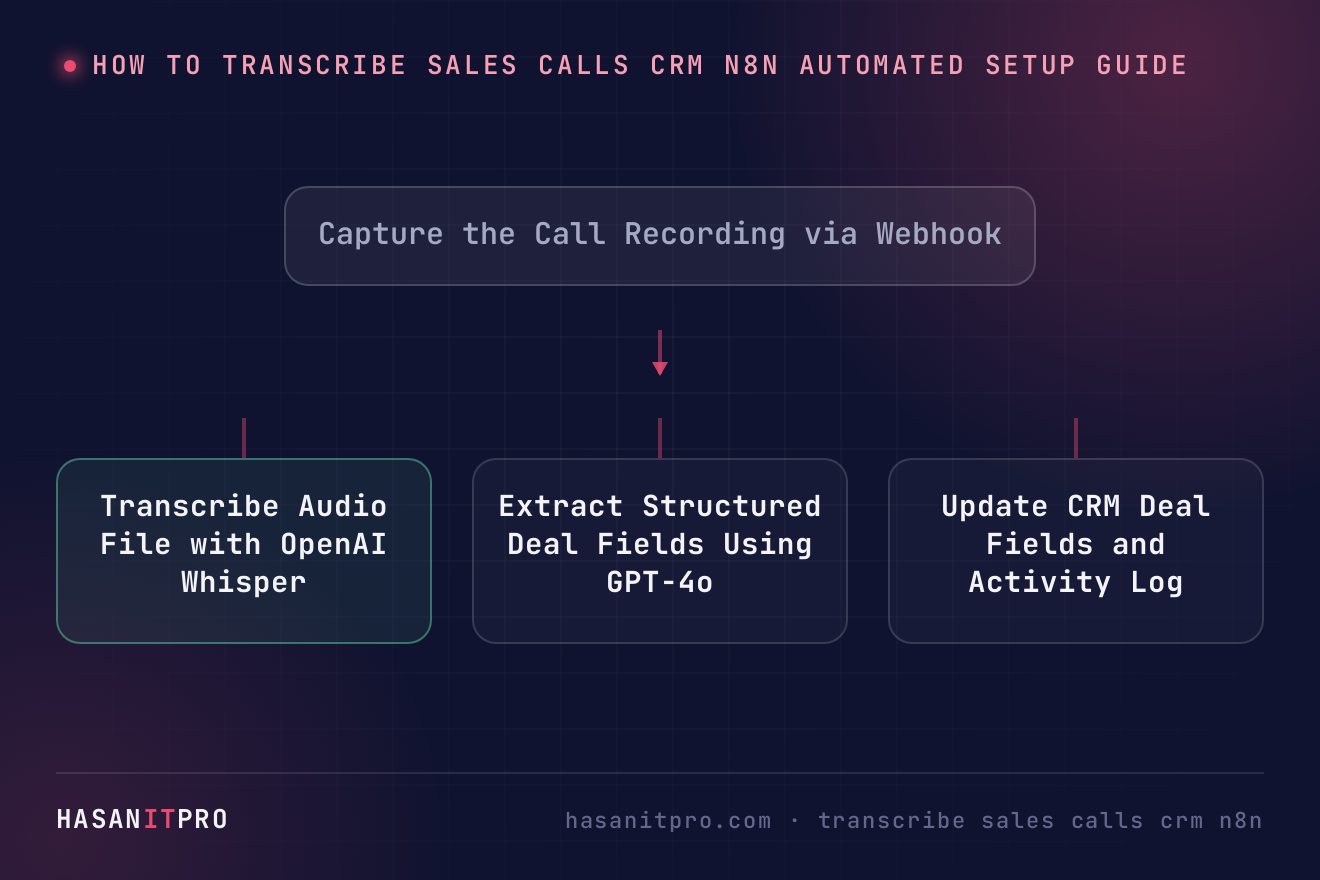
The automated post-call processing system consists of four primary stages:
- Trigger: A webhook receives the audio file URL or recording payload as soon as a sales call ends on Zoom, Google Meet, or a cloud phone system.
- Transcription: n8n sends the raw audio file to an accurate AI speech-to-text engine like OpenAI Whisper to generate a plain-text transcript.
- AI Extraction: n8n passes the raw transcript to an AI model along with a JSON Schema prompt to extract key deal fields.
- CRM Update: n8n updates the deal stage, adds structured fields, and attaches the formatted summary to the contact or deal record.
Step 1: Set Up the Webhook Trigger
Start by creating a new workflow in n8n and adding a Webhook node. Set the HTTP method to POST. This webhook URL will serve as the destination for your call recording integration.
Most call recording tools, phone systems, or video conferencing apps let you configure webhooks that send data when a call finishes. Configure your platform to send the recording audio URL, caller email, call duration, and rep ID in the webhook payload.
Step 2: Convert Audio to Text with OpenAI Whisper
Once n8n receives the webhook event, pass the recording URL to an HTTP Request node or the native OpenAI node in n8n. If the call provider returns a downloadable file URL, download the audio binary and upload it directly to the Whisper API endpoint.
Whisper processes the audio file and returns a complete text transcript of the sales conversation. This transcript includes all spoken dialogue, allowing the AI model in the next step to read through the entire interaction.
Step 3: Extract Structured Deal Notes with an LLM
Raw transcripts are usually thousands of words long. Sales reps and managers do not have time to read long transcripts. You need structured key insights.
Add a Basic LLM Chain or Structured Output Parser node in n8n using OpenAI GPT-4o. Provide a system prompt that instructs the AI to analyze the transcript and return strict JSON output containing:
- Client Pain Points: Primary problems mentioned by the prospect.
- Budget & Timeline: Financial figures, constraints, or launch dates discussed.
- Decision Makers: Stakeholders involved in approval.
- Competitors Mentioned: Tools or providers the prospect currently uses.
- Action Items: Promised follow-up items and scheduled meetings.
- Call Sentiment: Overall sentiment rating (Positive, Neutral, or Unqualified).
Step 4: Push Structured Notes into Your CRM
After the AI generates the structured JSON output, add your CRM node in n8n. You can map the JSON fields directly to standard or custom CRM properties.
For instance, update the custom text field named “Latest Call Notes” with a bulleted summary. Set the “Deal Health” property based on the sentiment output. Create a task automatically in your CRM for the assigned rep based on the identified action items.
Having a centralized view ensures complete team alignment. For more on maintaining clean CRM records, read our guide on building one source of truth for every customer.
Testing and Maintenance Tips
Test your workflow using short test recordings before pushing it to production. Ensure your webhook correctly handles large audio files without timing out. If audio files exceed standard upload sizes, consider splitting the files or sending pre-compressed MP3 files.
Monitor your token usage on OpenAI to maintain low operational costs. A standard 30-minute sales call processed through Whisper and GPT-4o costs only a few cents, making this approach extremely budget-friendly for growing teams.
-
1
Capture the Call Recording via Webhook
Create an n8n Webhook node set to receive POST requests. Configure your call recording provider (Zoom, Twilio, Retell AI, or Google Meet) to send the call completion event and audio download URL to this webhook.
-
2
Transcribe Audio File with OpenAI Whisper
Download the audio file binary in n8n or pass the audio URL directly into the OpenAI Whisper API node to generate a accurate text transcript of the call.
-
3
Extract Structured Deal Fields Using GPT-4o
Pass the transcript into an OpenAI LLM node with structured JSON output enabled. Instruct the prompt to parse pain points, budget, decision makers, and required action items.
-
4
Update CRM Deal Fields and Activity Log
Use your CRM's n8n node (HubSpot, GoHighLevel, or Salesforce) to locate the contact by email, update custom deal properties with the JSON notes, and auto-assign follow-up tasks to the rep.
Does this sound like your business?