How to Build an n8n AI Agent (Without Writing Code)
An n8n AI agent is built by connecting n8n's AI Agent node to a chat model and at least one real tool, so it decides which tool to use instead of following one fixed path. Give it a single clear job, a small set of real tools, and a fallback for when it isn't sure, then test it against real messages before turning it on live.
Does this sound like your business?
Most things people build in n8n are workflows: a fixed sequence of steps that always runs the same way. An n8n AI agent is different on purpose. Instead of following one path, it’s given a goal, a set of tools, and the judgment to decide which tool to use and in what order, based on whatever actually comes in. That distinction matters more than it sounds. A workflow breaks the moment a request doesn’t match the shape it was built for. An agent built correctly just picks a different tool.
This guide walks through building one for real: what actually makes something an agent instead of a relabelled workflow, the mistakes that make an agent unreliable fast, and the steps to get a working first version live. None of this requires a separate platform or a coding background. It’s the same n8n canvas, with a different node doing the deciding.
What Actually Makes This an n8n AI Agent, Not Just a Workflow
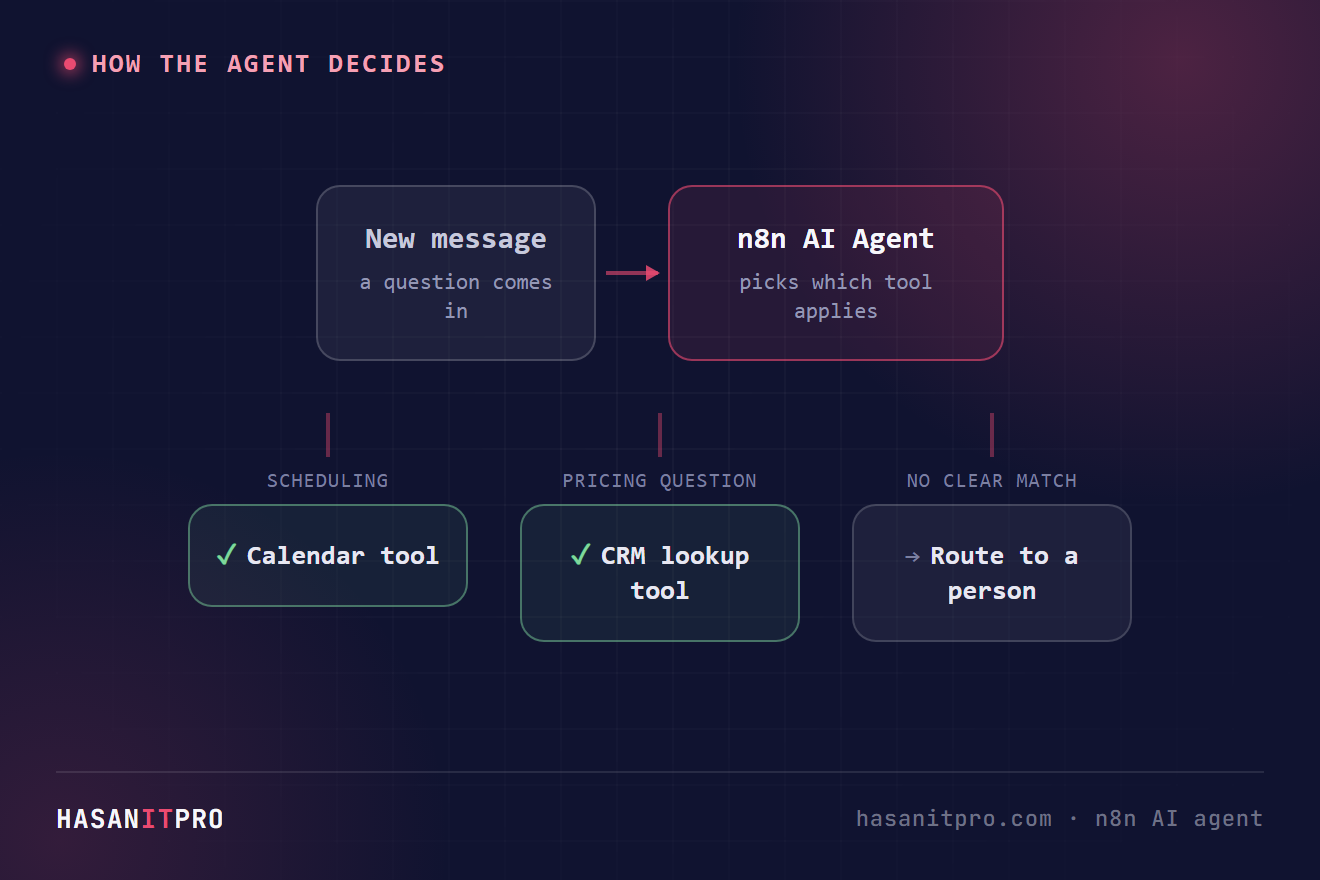
n8n’s AI Agent node is the core of it: connect a chat model and at least one tool, and the node itself handles deciding which tool to call and when, based on the input and the tools’ own descriptions. That’s the real difference from a plain automation. A normal n8n workflow with an OpenAI node in it still runs every branch you wired, in the order you wired it. An agent reads the request, decides which of its available tools actually applies, and only calls that one. Give it a calendar tool and a CRM lookup tool, and a scheduling question and a “what did we quote them” question both get handled correctly, without you building a separate path for each.
Common Mistakes That Make an Agent Unreliable
A few mistakes show up in almost every first attempt at an n8n AI agent:
- Giving it too many jobs at once. An agent that’s supposed to handle support, sales, and scheduling all in one node ends up mediocre at all three. Narrow scope is what makes an agent actually reliable.
- A tool description that doesn’t say enough. The agent picks tools based on how you’ve described them, not what the tool actually does internally. A vague description gets skipped or misused.
- No fallback for low confidence. Without an explicit way to hand off, an agent will eventually answer something it has no real basis for, and sound just as confident as when it’s right.
- Memory turned on by default. Conversation memory is useful for an ongoing back-and-forth, but it adds cost and can drag old context into a request that has nothing to do with it if the interaction is really just one-off.
What This Looks Like in Practice
We built this exact pattern for a support inbox that needed to draft accurate replies from a team’s own documentation instead of guessing: see Inside the Build: AI-Drafted Replies for Repeat Support Questions for what that looked like end to end. If you’re still deciding whether n8n is the right tool for this at all, n8n vs Zapier vs Make covers that decision separately. n8n’s own AI Agent node documentation is worth reading before you start, since it covers the different agent types (Tools Agent, Conversational Agent) and which fits a one-off request versus an ongoing chat.
Start narrower than feels necessary. One job, two or three tools it actually needs, and a clear rule for when to hand off. That earns trust fast. An agent that tries to do everything on day one usually earns none, and it takes far longer to earn back once it’s already answered a few things wrong.
Related reading: once your agent works, read how to handle errors in n8n workflows, and see the n8n FAQ for common n8n questions.
-
1
Give it one job, not five
Write down the single outcome this agent is responsible for, in one sentence. If the sentence needs "and" more than once, it's actually two agents. A narrow, well-defined job is what makes tool selection reliable later; a vague one is what makes agents feel random.
-
2
Add the AI Agent node and connect a chat model
Drop in n8n's AI Agent node and connect it to a chat model (OpenAI, Anthropic, or whichever your stack already uses). At this stage it can talk, but it can't yet do anything beyond generating text.
-
3
Give it real tools, not just a prompt
Connect at least one tool sub-node: an HTTP Request tool to call a real API, a Vector Store tool to search real documents, or a workflow tool that triggers another n8n workflow. Write each tool's description the way you'd explain it to a new hire, since that description is literally what the agent uses to decide when to call it.
-
4
Add memory only if the conversation actually needs it
If every request is a one-off, skip memory entirely. If it's a genuine back-and-forth (a chat that needs to remember what was said two messages ago), add a memory node. Turning it on by default when it isn't needed just adds cost and lets stale context leak into unrelated requests.
-
5
Set a fallback for when it’s not sure
Give the agent an explicit instruction and a path for low-confidence cases: route to a person, ask a clarifying question, or say it doesn't know, instead of guessing. This is the single rule that keeps an agent trustworthy once real, unpredictable input starts arriving.
-
6
Test it against real messages before it goes live
Run the agent against actual past requests, not hypothetical ones, before connecting it to a live inbox or channel. Real messages are messier than test cases, and that's exactly where a too-broad job description or a vague tool description shows up.
Does this sound like your business?